

Available to the Master subscription tier and above. Upgrade here.
Comments are enabled by default when you first create a manuscript. Disabling comments in Manuscripts prevents all readers from commenting on your work after it is published and hides any existing discussions. It does not delete comments. Here’s how to disable them!
- Click the title of your manuscript to go to Basic Details
- Under the Access Tab (in the centre) change Comments from Enabled to Disabled
- Manuscript's autosave feature will save this change automatically
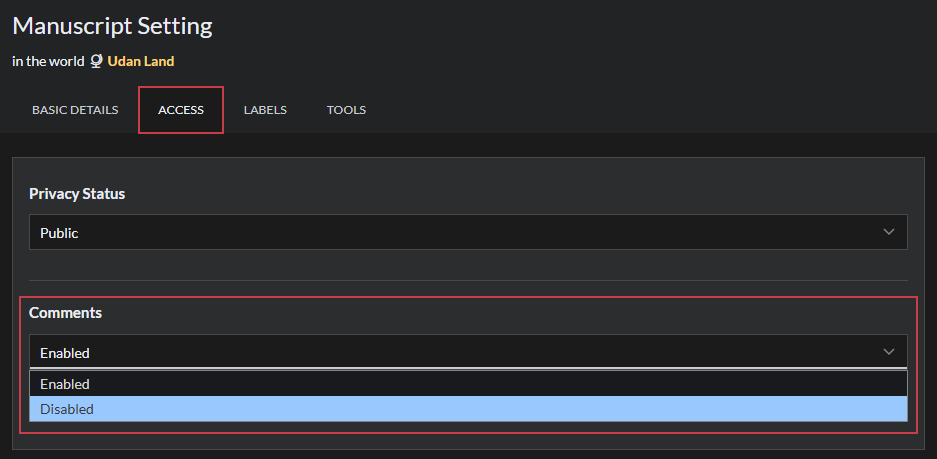
Existing discussions will now be hidden and future comments disabled. To return them, change from disabled to enabled.